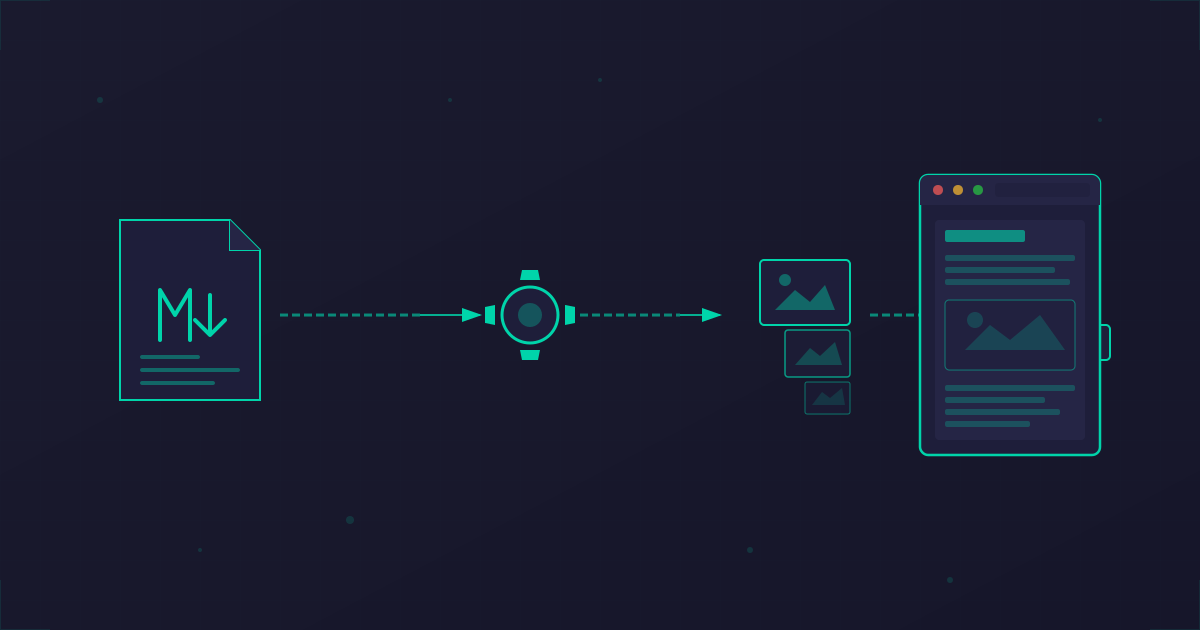
Safari extensions combine unauditable native code with readable JavaScript. This automated security monitor checks for dangerous patterns, analyzes background scripts, and uses AI to catch obfuscated threats—triggered automatically after every update.
Contents
- The Problem: Extensions See Everything
- Safari Extensions: A Different Beast
- The New Way: Claude Builds the Safety Net
- Setting It Up Yourself
- Honest Limitations
- AI-Powered Analysis
- The Bigger Picture
The Problem: Extensions See Everything
I use Noir, a Safari extension for dark mode. It's great. It also has permission to read and modify content on every website I visit.
This isn't unique to Noir—it's how browser extensions work. That ad blocker, password manager, or productivity tool you installed? They often have the same access. And as recent research revealed, attackers are exploiting this at scale.
The DarkSpectre campaigns compromised 8.8 million users across Chrome, Edge, and Firefox. The attack pattern is insidious:
- Publish a legitimate, useful extension
- Build trust and user base over months or years
- Push a malicious update that exfiltrates data
These "dormant sleeper" extensions pass every app store review because they are legitimate—until they're not. The surveillance runs silently in the background while users believe they're using productivity tools.
Safari Extensions: A Different Beast
Safari extensions work fundamentally differently from Chrome extensions, and understanding this architecture is crucial for security auditing.
Chrome: Pure JavaScript
Chrome extensions are essentially JavaScript applications. Everything—background scripts, content scripts, popups—is written in JS/HTML/CSS. When you audit a Chrome extension, you can read everything it does. The code is right there.
Safari: Native Code + JavaScript Hybrid
Safari extensions come in two main flavors:
- Safari Web Extensions (2020+): Cross-platform, mostly JavaScript, similar to Chrome extensions
- Safari App Extensions (2016+): Mac-only, with native Swift/Objective-C code
Noir is a Safari App Extension. Here's what that means architecturally:
The native Swift/Objective-C code is compiled into binary. It goes through Apple's notarization and code signing, but you cannot read it. It's a black box.
The JavaScript files, however, are readable. These are the scripts that actually run in your browser, injected into every webpage you visit.
The Security Implication
This hybrid architecture creates an interesting attack surface. The native code can communicate with the JavaScript via Apple's message passing API:
// JS sends message to native code
browser.runtime.sendNativeMessage("app.identifier", {action: "getData"})

// Native code can respond with arbitrary data
// If JS blindly executes this response... trouble
A malicious or compromised native binary could send payloads to the JavaScript that get executed in your browser context. This is why we specifically check for code execution vectors:
| Pattern | Risk |
|---|---|
eval() | Executes arbitrary strings as code |
new Function() | Creates functions from strings |
document.write() | Can inject arbitrary HTML/scripts |
innerHTML = | Can inject HTML that executes scripts |
What We Can and Cannot Audit
| Component | Auditable? | Notes |
|---|---|---|
| JavaScript files | ✓ Yes | Minified but readable |
| Native binary | ✗ No | Compiled, signed, notarized |
| Info.plist | ✓ Yes | Permissions, bundle ID, version |
| Code signature | ✓ Yes | Verify developer identity |
The Old Way: Manual Audits Nobody Does
The security-conscious response is "audit extensions before trusting them." In practice, this means:
- Digging through minified JavaScript after every update
- Checking code signatures and notarization
- Grepping for suspicious patterns like
eval()or cookie access - Comparing file hashes to detect changes
Who actually does this? Almost nobody. It takes too long, requires security expertise, and needs to happen after every single update. The friction is too high, so we accept the risk and hope for the best.
The New Way: Claude Builds the Safety Net
I decided to actually solve this. Not by becoming more disciplined about manual audits, but by automating them entirely.
With Claude, I went from "I should really audit this extension" to "automated monitoring system" in about 15 minutes. Here's what we built:
1. The Security Audit Script
Here's the complete script, optimized for Safari App Extensions:
#!/bin/bash
# Security check script for Noir Safari Extension
# Optimized for Safari App Extensions (not Chrome)

APP_PATH="/Applications/Noir.app"
EXTENSION_PATH="$APP_PATH/Contents/PlugIns/Mac Extension.appex/Contents/Resources/dist"
PLIST_PATH="$APP_PATH/Contents/PlugIns/Mac Extension.appex/Contents/Info.plist"
EXPECTED_TEAM_ID="X23AVVY2HZ"
EXPECTED_BUNDLE_ID="nl.jeffreykuiken.NoirApp.mac.Mac-Extension"

RED='\033[0;31m'
GREEN='\033[0;32m'
YELLOW='\033[1;33m'
BLUE='\033[0;34m'
NC='\033[0m'

ISSUES=0
WARNINGS=0

# Helper: check if pattern exists in any content script
# Uses timeout to avoid hanging on large minified files (some are 900KB+)
check_pattern_in_content() {
    local pattern="$1"
    for file in "$EXTENSION_PATH"/content/*.js; do
        [ -f "$file" ] && timeout 5 grep -q "$pattern" "$file" 2>/dev/null && return 0
    done
    return 1
}

# Helper: check if pattern exists in background script
check_pattern_in_background() {
    local pattern="$1"
    [ -f "$EXTENSION_PATH/background.js" ] && timeout 10 grep -q "$pattern" "$EXTENSION_PATH/background.js" 2>/dev/null
}

echo "=== Noir Safari Extension Security Check ==="
echo ""

# 1. Verify code signature
echo "1. Code Signature:"
if codesign -v "$APP_PATH" 2>/dev/null; then
    echo -e "   ${GREEN}✓ Valid signature${NC}"
    TEAM=$(codesign -dv "$APP_PATH" 2>&1 | grep TeamIdentifier | cut -d= -f2)
    echo "   Team ID: $TEAM"
    if [ "$TEAM" != "$EXPECTED_TEAM_ID" ]; then
        echo -e "   ${RED}⚠ WARNING: Team ID changed from $EXPECTED_TEAM_ID${NC}"
        ((ISSUES++))
    fi
else
    echo -e "   ${RED}✗ Invalid signature${NC}"
    ((ISSUES++))
fi

# 2. Check notarization
echo ""
echo "2. Notarization:"
NOTARIZE=$(spctl --assess -vv "$APP_PATH" 2>&1)
if echo "$NOTARIZE" | grep -q "accepted"; then
    echo -e "   ${GREEN}✓ App is notarized${NC}"
    echo "   $(echo "$NOTARIZE" | grep source)"
else
    echo -e "   ${RED}✗ Not notarized${NC}"
    ((ISSUES++))
fi

# 3. Safari Extension Identity (Safari-specific)
echo ""
echo "3. Extension Identity:"
if [ -f "$PLIST_PATH" ]; then
    BUNDLE_ID=$(plutil -extract CFBundleIdentifier raw "$PLIST_PATH" 2>/dev/null)
    VERSION=$(plutil -extract CFBundleShortVersionString raw "$PLIST_PATH" 2>/dev/null)
    echo "   Bundle ID: $BUNDLE_ID"
    echo "   Version: $VERSION"
    if [ "$BUNDLE_ID" != "$EXPECTED_BUNDLE_ID" ]; then
        echo -e "   ${RED}⚠ WARNING: Bundle ID changed!${NC}"
        ((ISSUES++))
    fi
else
    echo -e "   ${RED}✗ Info.plist not found${NC}"
    ((ISSUES++))
fi

# 4. Check for dangerous code patterns (code execution vectors)
echo ""
echo "4. Dangerous Patterns (code execution):"
for pattern in 'eval(' 'new Function(' 'document.cookie' 'document.write('; do
    if check_pattern_in_content "$pattern"; then
        echo -e "   ${RED}⚠ Found: $pattern${NC}"
        ((ISSUES++))
    else
        echo -e "   ${GREEN}✓ No $pattern${NC}"
    fi
done

# 5. Suspicious APIs (unexpected for dark mode extension)
echo ""
echo "5. Suspicious APIs (unexpected for dark mode):"
SUSPICIOUS_APIS=(
    "browser.cookies"       # Cookie theft
    "browser.history"       # Browsing history access
    "browser.bookmarks"     # Bookmarks access
    "browser.downloads"     # Downloads access
    "browser.tabs.create"   # Opening new tabs
    "sendBeacon"            # Data exfiltration
    "WebSocket"             # Real-time data exfil
    "indexedDB"             # Large data storage
)
for API in "${SUSPICIOUS_APIS[@]}"; do
    if check_pattern_in_content "$API"; then
        echo -e "   ${RED}⚠ Found: $API${NC}"
        ((ISSUES++))
    else
        echo -e "   ${GREEN}✓ No $API${NC}"
    fi
done

# 6. High-risk background script patterns
echo ""
echo "6. Background Script Analysis:"
if [ -f "$EXTENSION_PATH/background.js" ]; then
    echo "   Size: $(wc -c < "$EXTENSION_PATH/background.js" | tr -d ' ') bytes"

    # Critical: Request interception (can see ALL your traffic)
    echo ""
    echo "   Request Interception (can see all traffic):"
    for pattern in "webRequest" "onBeforeRequest" "onBeforeSendHeaders"; do
        if check_pattern_in_background "$pattern"; then
            echo -e "   ${RED}⚠ Found: $pattern${NC}"
            ((ISSUES++))
        else
            echo -e "   ${GREEN}✓ No $pattern${NC}"
        fi
    done

    # Critical: Cross-extension messaging (accepts external messages)
    echo ""
    echo "   External Message Handling:"
    for pattern in "onMessageExternal" "onConnectExternal"; do
        if check_pattern_in_background "$pattern"; then
            echo -e "   ${RED}⚠ Found: $pattern${NC}"
            ((ISSUES++))
        else
            echo -e "   ${GREEN}✓ No $pattern${NC}"
        fi
    done

    # Warning: Script injection APIs (expected for content-modifying extensions)
    echo ""
    echo "   Script Injection APIs (expected for dark mode):"
    for pattern in "executeScript" "scripting.insertCSS"; do
        if check_pattern_in_background "$pattern"; then
            echo -e "   ${YELLOW}→ Uses: $pattern (review if unexpected)${NC}"
        else
            echo -e "   ${GREEN}✓ No $pattern${NC}"
        fi
    done

    # Code execution in background
    echo ""
    echo "   Code Execution in Background:"
    for pattern in 'eval(' 'new Function('; do
        if check_pattern_in_background "$pattern"; then
            echo -e "   ${RED}⚠ Found: $pattern${NC}"
            ((ISSUES++))
        else
            echo -e "   ${GREEN}✓ No $pattern${NC}"
        fi
    done
else
    echo "   No background.js found"
fi

# 7. Expected Safari APIs (informational, not issues)
echo ""
echo "7. Expected APIs for dark mode extension (informational):"
EXPECTED_APIS=(
    "sendNativeMessage"     # Safari App Extension <-> native app
    "browser.runtime"       # Extension runtime
    "browser.storage"       # Settings storage
    "fetch("                # Network for rules/updates
    "localStorage"          # Settings persistence
    "innerHTML"             # DOM manipulation for dark mode
    "style"                 # CSS injection
)
for API in "${EXPECTED_APIS[@]}"; do
    if check_pattern_in_content "$API"; then
        echo -e "   ${BLUE}→ Uses: $API${NC}"
    else
        echo -e "   ${GREEN}✓ No $API${NC}"
    fi
done

# 8. File hashes for change detection
echo ""
echo "8. Content Script Hashes:"
HASH_FILE="$(dirname "$0")/noir-baseline-hashes.txt"
for file in "$EXTENSION_PATH"/content/*.js; do
    if [ -f "$file" ]; then
        name=$(basename "$file")
        hash=$(shasum -a 256 "$file" | cut -d' ' -f1)
        echo "   $name: ${hash:0:24}..."

        # Compare with baseline if exists
        if [ -f "$HASH_FILE" ]; then
            baseline=$(grep "$name" "$HASH_FILE" 2>/dev/null | cut -d: -f2 | tr -d ' ')
            if [ -n "$baseline" ] && [ "$hash" != "$baseline" ]; then
                echo -e "   ${YELLOW}⚠ Hash changed from baseline!${NC}"
                ((WARNINGS++))
            fi
        fi
    fi
done

# 9. Summary
echo ""
echo "=== Summary ==="
if [ "$ISSUES" -eq 0 ] && [ "$WARNINGS" -eq 0 ]; then
    echo -e "${GREEN}All checks passed ✓${NC}"
    osascript -e 'display notification "All security checks passed ✓" with title "Noir Security Check" sound name "Glass"' 2>/dev/null
elif [ "$ISSUES" -eq 0 ]; then
    echo -e "${YELLOW}$WARNINGS warning(s), no critical issues${NC}"
    osascript -e "display notification \"$WARNINGS warning(s) found\" with title \"Noir Security Check\" sound name \"Purr\"" 2>/dev/null
else
    echo -e "${RED}$ISSUES issue(s) found!${NC}"
    osascript -e "display notification \"Found $ISSUES security issue(s)!\" with title \"⚠️ Noir Security Alert\" sound name \"Basso\"" 2>/dev/null
fi
The script checks:
- Code signature validity and whether the Team ID matches the known developer
- Apple notarization status
- Extension identity via
Info.plist(bundle ID and version tracking) - Dangerous JavaScript patterns:
eval(),new Function(),document.cookie,document.write() - Suspicious API access: cookies, history, bookmarks, downloads, sendBeacon, WebSocket
- Background script analysis: request interception, cross-extension messaging, script injection
- Expected APIs (informational): native messaging, fetch, localStorage, DOM manipulation
- File hashes with baseline comparison for change detection
Safari-Specific Implementation Notes
Given the hybrid architecture of Safari App Extensions, the script handles several Safari-specific concerns:
- Timeout for large files: Safari extensions often bundle minified JS files exceeding 900KB. The script uses
timeout 5(ortimeout 10for background.js) to prevent grep from hanging.
- Background script analysis: The background.js contains extension logic and dangerous APIs like
webRequest(traffic interception) andexecuteScript(code injection). We now analyze it separately.
- Native messaging is expected:
sendNativeMessageis how Safari App Extensions communicate with their container app—this is normal, not a red flag.
- Info.plist verification: Safari extensions store identity in
Info.plist, notmanifest.json. The script verifies the bundle ID hasn't changed.
- Code execution vectors are critical: Since we can't audit the native binary, checking for
eval(),new Function(), anddocument.write()is essential—both in content scripts AND background scripts.
- Script injection APIs: Extensions like Noir legitimately use
executeScriptto inject dark mode styles. The script flags this as informational rather than an error
2. The Automatic Trigger
macOS's launchd can watch filesystem paths and run scripts when they change. Perfect for monitoring app updates:
<?xml version="1.0" encoding="UTF-8"?>
<!DOCTYPE plist PUBLIC "-//Apple//DTD PLIST 1.0//EN" "http://www.apple.com/DTDs/PropertyList-1.0.dtd">
<plist version="1.0">
<dict>
    <key>Label</key>
    <string>com.user.noir-security-monitor</string>
    <key>ProgramArguments</key>
    <array>
        <string>/path/to/check-noir-security.sh</string>
    </array>
    <key>WatchPaths</key>
    <array>
        <string>/Applications/Noir.app</string>
    </array>
    <key>StandardOutPath</key>
    <string>/tmp/noir-security-check.log</string>
    <key>StandardErrorPath</key>
    <string>/tmp/noir-security-check.log</string>
</dict>
</plist>
When Noir updates, macOS detects the file changes and triggers the audit automatically.
3. Notifications
The script ends by sending macOS notifications—Glass sound for all clear, Basso for warnings. You'll know immediately if an update introduced something suspicious.
What Claude Actually Did
Here's the interesting part: Claude built this, but Claude doesn't run it.
The output is a completely self-sufficient system:
- Pure bash script with standard Unix tools
- Native macOS launchd integration
- No API calls, no cloud dependencies, no ongoing AI involvement
Claude's role was translating "I want to automatically audit my browser extension" into working code. The security knowledge (what patterns to check, which APIs are suspicious, how launchd works) came from the conversation. The implementation took minutes instead of the hours I would have spent reading documentation and debugging.
This is the pattern I keep seeing with AI-assisted development: use AI to bootstrap automation that then runs independently. You get the speed of AI assistance without runtime dependencies.
Setting It Up Yourself
- Save the script somewhere persistent (I use
~/.claude/hooks/) - Make it executable:
chmod +x check-noir-security.sh - Customize the paths for your extension
- Save the plist to
~/Library/LaunchAgents/ - Load it:
launchctl load ~/Library/LaunchAgents/com.user.noir-security-monitor.plist
To establish a baseline, run the script manually first and save the hashes:
# For Safari App Extensions, hash all content scripts
EXTENSION_PATH="/Applications/Noir.app/Contents/PlugIns/Mac Extension.appex/Contents/Resources/dist"
for file in "$EXTENSION_PATH"/content/*.js; do
    name=$(basename "$file")
    hash=$(shasum -a 256 "$file" | cut -d' ' -f1)
    echo "$name: $hash"
done > ~/.claude/hooks/noir-baseline-hashes.txt
The script will automatically compare against this baseline and warn you when files change after updates
Going Further: AI-Powered Deep Analysis
The grep-based pattern matching catches obvious red flags, but a sophisticated attacker could obfuscate malicious code to evade simple pattern matching.
The next level? When the script detects changed files, trigger Claude Code to perform a deeper semantic analysis:
# If files changed from baseline, run Claude analysis
if [ "$FILES_CHANGED" -gt 0 ]; then
    claude -p "Analyze these JavaScript files for security issues:
               data exfiltration, obfuscated code, suspicious network calls,
               or any behavior inconsistent with a dark mode extension" \
           "$EXTENSION_PATH"/content/*.js
fi
This combines the speed of hash-based change detection with AI's ability to understand code intent—not just pattern match. The launchd trigger handles the "when," the bash script handles the "what changed," and Claude handles the "is this actually suspicious."
Honest Limitations
No security tool catches everything. Here's what this script does and doesn't protect against:
What We Catch (~80% of common attacks)
| Category | Patterns Detected |
|---|---|
| Code execution | eval(), new Function(), document.write(), document.cookie |
| Traffic interception | webRequest, onBeforeRequest, onBeforeSendHeaders |
| Cross-extension attacks | onMessageExternal, onConnectExternal |
| Data exfiltration | sendBeacon, WebSocket, indexedDB |
| Sensitive API abuse | browser.cookies, browser.history, browser.bookmarks |
| Identity tampering | Code signature changes, bundle ID changes |
What We Can't Catch
| Gap | Why It's Hard | Risk |
|---|---|---|
| Obfuscated code | window['ev'+'al'] or eval.call() evades simple pattern matching | Medium |
| Native binary | Compiled Swift/ObjC is unreadable without reverse engineering | High (but Apple-reviewed) |
Dynamic executeScript | Legitimate for content-modifying extensions—can't distinguish good vs. malicious | Medium |
| String-based timers | setTimeout("code", 100) is eval-equivalent but hard to detect in minified code | Low |
| Delayed payloads | Extension works normally for months, then activates malicious code | High |
The Native Binary Problem
Safari App Extensions have compiled native code that we simply cannot audit. This code:
- Passes Apple's notarization (automated malware scan)
- Is signed by the developer (identity verified)
- But could still contain malicious logic
We mitigate this by ensuring the JavaScript can't be weaponized. If there's no eval() or similar code execution vector in the JS, the native binary can't use it to run arbitrary code in your browser. The native code can still do damage within its sandbox, but it can't directly compromise web pages.
Going Deeper: AI-Powered Analysis
For the paranoid (like me), the next level is semantic code analysis. Instead of pattern matching, use an LLM to understand what the code does.
Here's the exact prompt I use with Claude Code to perform a deep security audit:
claude -p 'Analyze the Noir Safari extension JavaScript files for security concerns, specifically looking for:

1. **Obfuscated eval patterns**:
   - `window["eval"]` or `window["ev"+"al"]`
   - `Function.constructor`
   - `(0, eval)()` or indirect eval
   - `eval.call()`, `eval.apply()`

2. **Suspicious string building**:
   - Code that concatenates strings to build function names
   - Template literals that construct executable code

3. **Hidden data exfiltration**:
   - Base64 encoded URLs
   - Data being sent to domains other than expected (getnoir.app, apple.com)
   - Unusual fetch/XHR patterns

4. **Conditional malicious behavior**:
   - Code that checks dates or timers before executing
   - Code that activates only under certain conditions

5. **Dynamic code loading**:
   - Loading scripts from external URLs
   - `importScripts()` with dynamic URLs

Files to analyze:
- /Applications/Noir.app/Contents/PlugIns/Mac Extension.appex/Contents/Resources/dist/content/standalone.js
- /Applications/Noir.app/Contents/PlugIns/Mac Extension.appex/Contents/Resources/dist/content/main.js
- /Applications/Noir.app/Contents/PlugIns/Mac Extension.appex/Contents/Resources/dist/background.js

Read samples from these files and provide a security assessment.'
When I ran this against Noir, the AI analysis found:
| Category | Finding |
|---|---|
| Obfuscated eval | Not found |
| String building | Only legitimate UID generation (Date.now().toString(36)) |
| Data exfiltration | Only getnoir.app (legitimate developer domain) |
| Conditional malware | Only legitimate dark mode scheduling |
| Dynamic code loading | Not found |
This approach catches obfuscated patterns that regex misses—like window['ev'+'al'] or Function.constructor('return this')(). The tradeoff is speed and API costs, so I only run it when the hash-based check detects changes.
The Bigger Picture
Browser extensions are a supply chain risk hiding in plain sight. The attack surface is massive, the payoff for attackers is high, and the friction for defenders has been too high to matter.
AI changes that equation. Security practices that required expertise and discipline can now be automated by anyone willing to describe what they want. The gap between "theoretically good security hygiene" and "actually implemented" just got a lot smaller.
I'm not suggesting this script catches everything—a sophisticated attacker could still evade pattern matching. But it raises the bar significantly. It catches the lazy attacks, the obvious red flags, and most importantly, it runs automatically without requiring ongoing vigilance.
Zero-trust doesn't have to mean zero-convenience anymore.